
Modbus RTU on energy meters: six things that break
Wiring, termination, byte order, register offsets, phantom registers and polling intervals — the real RS485 failure modes, and how to tell them apart.
Reading an energy meter over RS485 should be simple. Two wires, a request, a response. In practice a new meter integration fails for one of six reasons, and they produce very similar symptoms — garbage numbers or no response at all. Here is how to tell them apart quickly.
1. Wiring and polarity
A+ to A+, B− to B−, and a common ground reference. Reversed A/B gives you silence, not garbage. If you get no response at all from any address, swap A and B before you touch anything else. It costs ten seconds.
Ground matters more than people think. On a long run between separate panels, the two ends can sit at meaningfully different potentials and the transceivers stop seeing valid levels. Run the reference conductor.
2. Termination
120 Ω across A/B at each end of the bus — the two physical ends, not every device. Symptoms of missing termination are the ones that waste days: it works on the bench with a 1 m cable, and fails intermittently at 200 m on site.
Intermittent is the tell. Consistent failure is usually wiring or config; intermittent failure that gets worse with cable length is reflection.
3. Serial parameters
Baud rate, parity, stop bits, and the slave address all have to match. The common trap is that many meters ship at 9600 8N1 but the manual documents 9600 8E1, and parity mismatch gives you a response that looks like noise rather than nothing.
If you can see bytes coming back but the CRC never validates, suspect parity before you suspect the meter.
4. Register offset — the off-by-one
This one catches everyone once.
Modbus documentation uses two conventions. Some manuals list registers as 40001, 40002, 40003 (the older "data model" numbering). Others list the raw address the protocol actually puts on the wire: 0, 1, 2.
A meter documented as holding register 40011 is read at protocol address 10, not 11 and not 40011. If every value you read belongs to the register next door, this is why.
The Modbus address converter does the subtraction either way and tells you the function code that goes with the block — 3 for holding registers, 4 for input registers. Worth checking which one your client library expects before you convert a whole map, because some subtract the offset for you and some do not.
5. Byte and word order
A 32-bit float spans two registers, and there are four ways to arrange them:
| Order | Name | Common on |
|---|---|---|
| ABCD | Big-endian | Schneider, most European meters |
| DCBA | Little-endian | some Chinese meters |
| BADC | Big-endian byte swap | Selec, some Indian meters |
| CDAB | Word swap | very common, catches people out |
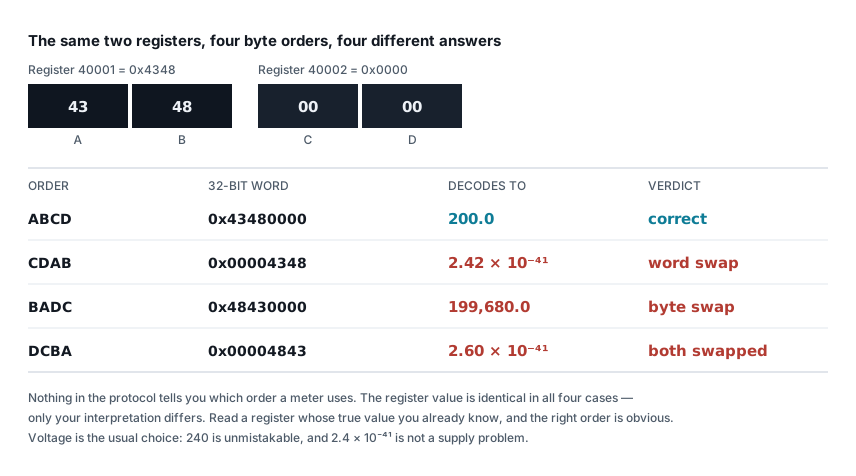
The diagnostic is easy once you know it: read a value you can verify independently, like line voltage, which should be around 230 V or 415 V.
- Correct order →
230.4 - Word-swapped → an absurd number like
1.2e-19or4.5e28 - Byte-swapped → also absurd, but differently
Rather than swapping bytes in code and re-reading each time, paste the two registers into the Modbus float decoder. It shows the value under all four orderings side by side, so the one that produces a sensible voltage is visible immediately. Usually only one does, and that settles it in seconds.
Current is the better test if the voltage reads fine but you still suspect a problem, because you can predict what it should be. Work out the expected line current for the connected load with the three-phase current calculator and compare. A 45 kW motor at 0.86 power factor should draw about 79 A — if the meter says 7.9 A or 790 A you have a CT ratio set wrong, and if it says something with an exponent in it you have a word order problem.
If the number is wildly wrong rather than slightly wrong, it is word order, not calibration. Slightly wrong is a CT ratio problem. Wildly wrong is byte order. This distinction saves hours.
6. Phantom registers
Here is the one that is genuinely hard, because nothing about it looks like an error.
Many meters respond to a read on a register they do not actually implement. Instead of returning an exception code, they return whatever happens to be in that memory location — stale data, zeros, or a fragment of an adjacent value.
So you read "THD on phase 2" from a register the manual lists, get a number back, and it is meaningless. The meter is not broken and your code is not broken. The register simply is not populated on that model.
How to confirm: read the same register across two identical meters carrying different loads. A real register tracks the load. A phantom register returns the same value on both, or a value that never changes when the load changes.
A second confirmation, if you only have one meter: check whether the value is
internally consistent with the others. Real kW, kVA and power factor readings
satisfy S = P / cos φ. Put the meter's own kW and power factor into the
kW, kVA and kVAr converter — if the kVA it should be
reporting and the kVA it actually reports disagree, at least one of those three
registers is not real.
The fix is not byte order — people burn days re-swapping bytes on phantom registers. The fix is to check the model-specific register map, and if the register is not implemented, stop displaying the field rather than showing a number nobody can trust.
Polling interval
Once it works, do not hammer it. Most meters need 200–500 ms between requests. Poll faster and you get timeouts that look exactly like a wiring fault, which sends you back to step one on a problem you already solved.
For a bus with several meters, poll each in sequence with a gap rather than in parallel — RS485 is half duplex, and two masters talking at once corrupt both messages.
Quick triage
| Symptom | Look at |
|---|---|
| No response, any address | A/B reversed, baud, address |
| Bytes return, CRC fails | Parity |
| Works short, fails long | Termination, ground reference |
| Value one register off | 40001 vs 0 offset |
| Wildly wrong number | Word/byte order |
| Plausible but static number | Phantom register |
| Random timeouts under load | Polling too fast |
Work down the table in order. It is roughly the order of how often each one is the cause.
Checking the numbers once it talks
Getting bytes back is not the same as getting correct readings. Once the bus is stable, sanity-check what the meter reports against what the load should be doing:
- Modbus float decoder — two registers in, all four byte orders out. Settles step 5 without touching your code.
- Modbus address converter — the 40001-versus-0 offset and the matching function code, for step 4.
- Three-phase current calculator — expected line current for a known kW load. Catches CT ratio errors and word order faults.
- kW, kVA and kVAr converter — confirms the meter's power readings are internally consistent, and tells you whether the power factor it reports is bad enough to be costing you a tariff penalty.
A meter that communicates perfectly and reads 10× low is worse than one that does not communicate at all, because you will trust it.
Related articles
More on metering & iot.
 Metering & IoT
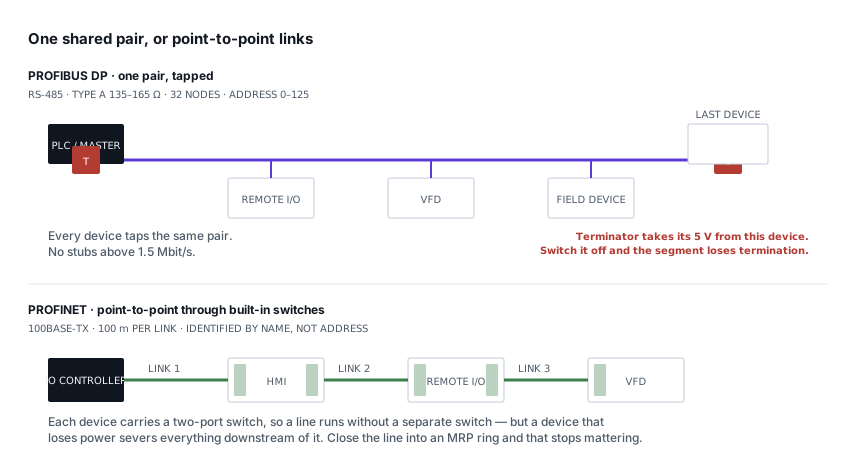
PROFIBUS and PROFINET: how each is wired, and what breaks
Purple cable at 150 Ω against green Ethernet, powered termination against none, device addresses against device names — and the fault each design invites.
8 min read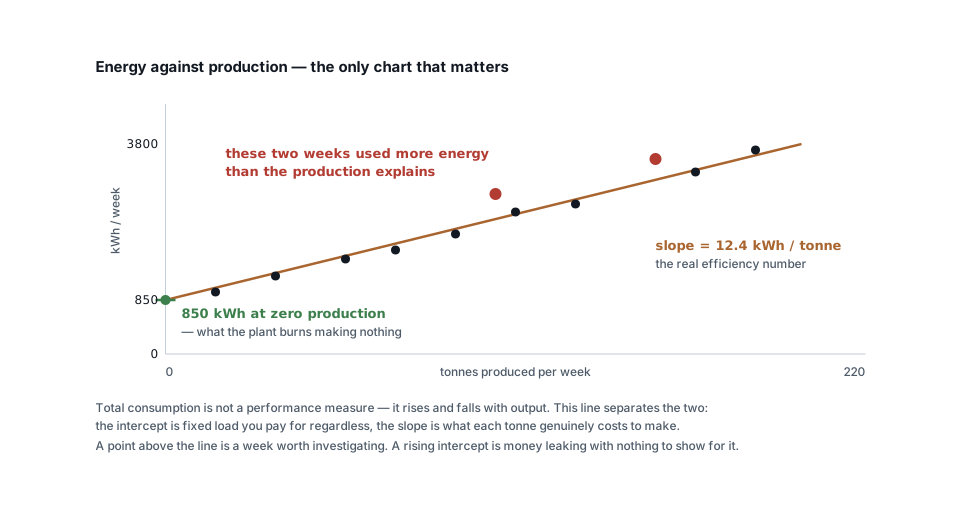 Metering & IoT
Turning meter data into savings: baselines, KPIs and alerts
Why total kWh is a useless measure, how to build an energy baseline against production, and the four analyses that actually find money in metering data.
6 min read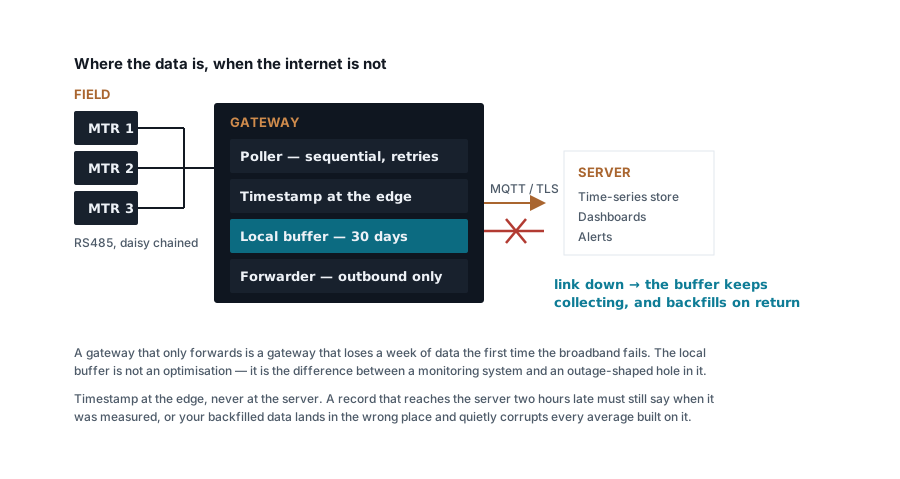 Metering & IoT
Building a Modbus energy monitoring gateway that stays up
Polling design, store-and-forward, timestamping at the edge, SD card wear and the naming convention you cannot change later — a field-grade gateway.
7 min read Metering & IoT
MQTT, Modbus TCP or HTTP: moving meter data to a server
Poll versus publish, what each protocol costs in bandwidth and firewall holes, how to design topics and payloads, and where each one genuinely belongs.
7 min read
Comments
Loading…